
Isengrin Whitfoot
3 Haiku Decks
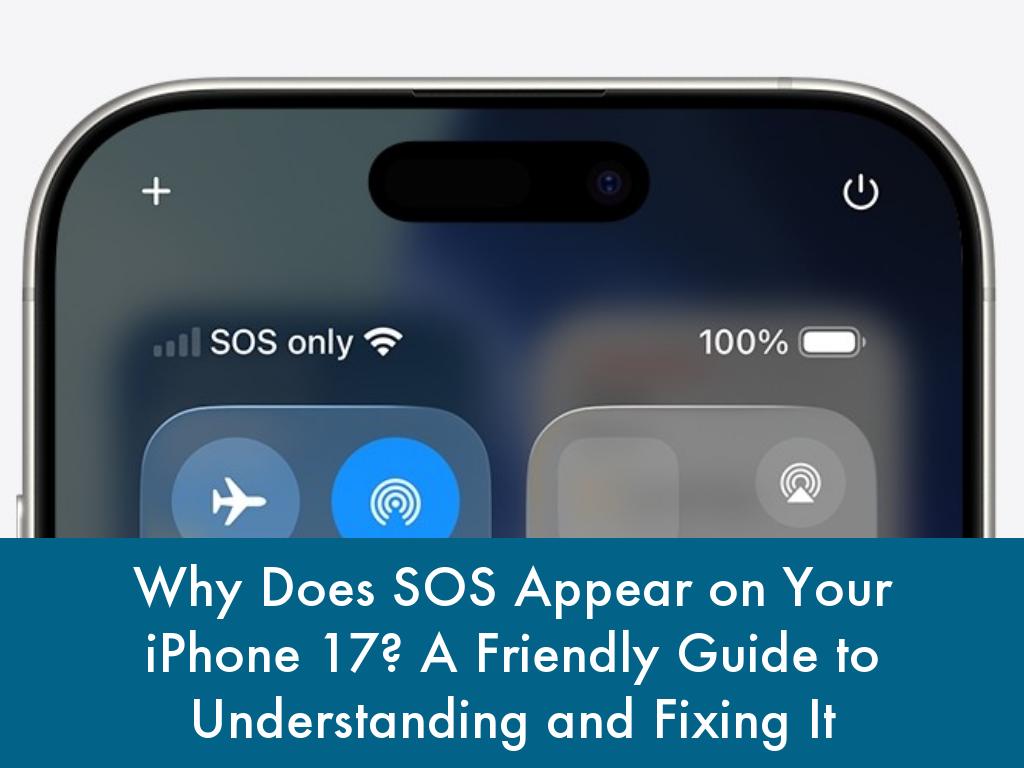
Why Does SOS Appear on Your iPhone 17
1 Slide9 Views1 Haifive
How To
Seeing "SOS" or "SOS only" pop up in the status bar of your new iPhone 17 can be alarming at first—like your phone is sending a distress signal. Don't panic!
This is Apple's smart safety feature kicking in when regular cellular service dips out, ensuring you can still reach emergency services even in tough spots.
What "SOS" Really Means on iPhone 17
"SOS" indicates your iPhone 17 can't connect fully to your carrier's network for calls, texts, or data, but it routes emergency calls through available networks or satellites.
It's not a full breakdown; think of it as a backup mode designed for safety, rooted in the classic Morse code distress signal.
On iPhone 17 models, this ties into advanced features like Emergency SOS via satellite, letting you text help from remote areas with no cell coverage.
Common Reasons "SOS" Shows Up
Several everyday glitches trigger this on iPhone 17. Carrier outages are the top culprit—check sites like DownDetector to confirm if others are affected.
Weak signal in rural spots, buildings, or during travel can force the switch, as can a loose, damaged, or outdated SIM card.
Software bugs post-iOS update, incorrect network settings, or even accidental activation by pressing side and volume buttons too long play roles too.
iPhone 17 users have reported repeated drops from 5G to "no service" then SOS, often linked to carrier compatibility hiccups.
Quick Fixes to Get Back Online
Start simple and friendly to your iPhone 17—most issues resolve fast.
First, force restart: Quickly press volume up, then volume down, hold the side button until the Apple logo appears.
Toggle Airplane Mode on for 30 seconds via Control Center, then off—this refreshes connections without data loss.
Next, reseat your SIM: Power off, eject the tray (right side), clean the card, reinsert firmly, and reboot.
Check Settings > Cellular for toggled data and carrier updates under Settings > General > About.
If Wi-Fi works, reset network settings (Settings > General > Transfer or Reset iPhone > Reset > Reset Network Settings)—note it erases saved Wi-Fi passwords.
Advanced Troubleshooting Steps
Update iOS via Settings > General > Software Update to patch bugs causing SOS persistence.
Test with another SIM from your carrier to rule out card faults. For iPhone 17's satellite perks, ensure it's set up in Settings > Emergency SOS, but if stuck, contact your carrier—they handle provisioning issues.
As a last resort, enter Recovery Mode (connect to computer, repeat force restart sequence until recovery screen), then restore via Finder/iTunes. Avoid jailbreaking, as it worsens glitches.
When to Use Emergency SOS Intentionally
iPhone 17 shines here: Hold side + volume buttons for sliders, or enable 5-press side button in Settings > Emergency SOS.
It calls services, shares Medical ID/location, texts contacts, and supports satellite texts outdoors (point at sky).
Post-call, features like Do Not Disturb pause briefly for callbacks. In India, it's three side presses.
Prevention Tips for Smooth Sailing
Stay ahead: Regularly update carrier settings and iOS, keep SIM clean, and monitor coverage via apps.
Enable Wi-Fi Calling in Settings > Cellular > Wi-Fi Calling for backups.
Set emergency contacts in Health app for auto-alerts. If traveling to low-signal zones, know satellite works on iPhone 17 but needs clear skies—no trees or indoors.
In summary, "SOS" on your iPhone 17 is a helpful safeguard, not a crisis, often fixed with a restart or toggle. You've got powerful tools like satellite SOS making it safer than ever.
Try these steps, reach your carrier if needed, and your iPhone 17 will be back to full bars in no time—happy connecting!
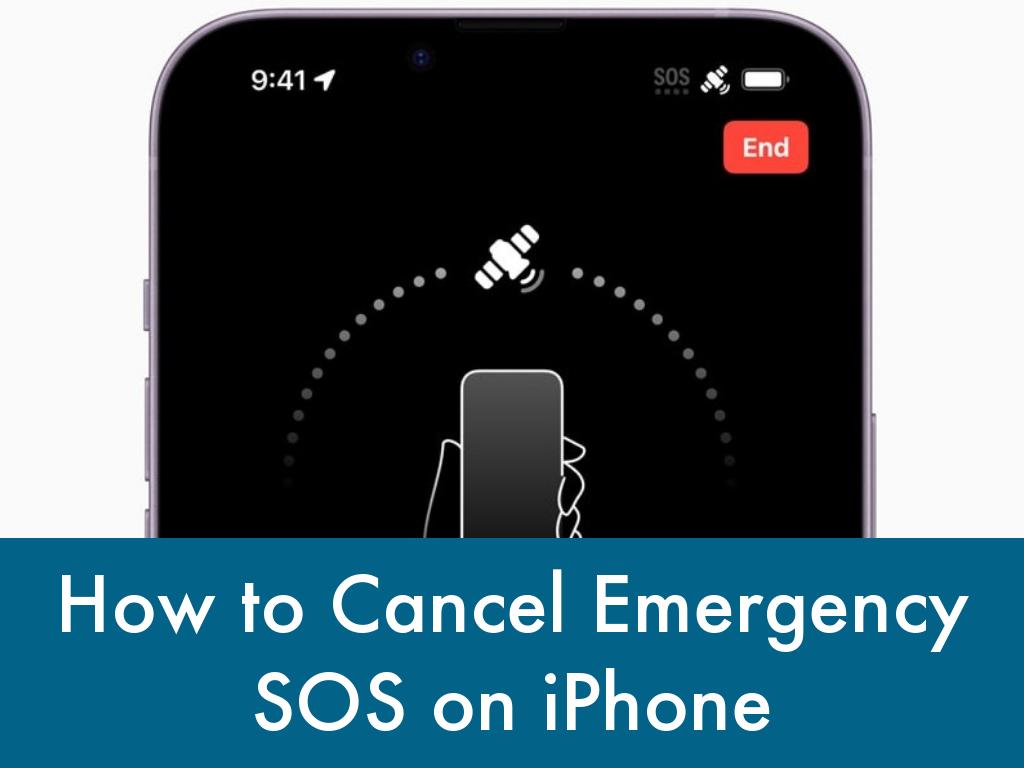
How to Cancel Emergency SOS on iPhone
1 Slide19 Views2 Haifives
How To
Emergency SOS on iPhone is a powerful safety feature, but it can be worrying or embarrassing if it triggers by accident. Whether you’ve set it off unintentionally or you just want to reduce the chances of false alarms, you can easily cancel Emergency SOS on iPhone 17 without turning your phone into a “dumb” device.
What Emergency SOS Does on iPhone
Emergency SOS lets you quickly call local emergency services and alert your emergency contacts using button shortcuts on your iPhone. Depending on your settings, it can be activated by:
- Pressing and holding the side button and one of the volume buttons.
- Rapidly pressing the side button five times (Call with Side Button).
- Certain crash or fall detection events on supported models.
This is great in real emergencies, but accidental activations are common—especially if you squeeze your phone in a pocket or case.
How to Cancel Emergency SOS When It Starts
If Emergency SOS has already started counting down or showing the SOS slider, you usually have a few seconds to stop it.
When you see the countdown and loud alarm
- If you triggered Emergency SOS by holding the side and volume buttons or pressing the side button repeatedly:
- Look for the countdown on the screen and the loud siren sound.
- On iPhone 8 or later, release the side button and volume button before the countdown finishes to cancel the call.
If you see an on‑screen “Stop” or “Cancel” option, tap it and confirm if asked.
If you successfully cancel in time, emergency services will not be called.
If the call has already started
If the call has already gone through to emergency services:
- Stay on the line and calmly tell the operator it was an accidental call.
- Follow any instructions they give you, as procedures can vary by region. Hanging up without explaining can sometimes trigger a call‑back or even a welfare check, depending on local rules.
How to Turn Off or Adjust Emergency SOS
If you often trigger Emergency SOS by mistake, it’s better to adjust the settings rather than turning it off completely.
Step 1: Open Emergency SOS settings
- Open the Settings app on your iPhone.
- Scroll down and tap Emergency SOS.
Here you’ll see the options that control how Emergency SOS is activated.
Step 2: Turn off button shortcuts (optional)
You can disable specific triggers that cause accidental activations:
- Toggle off Call with Side Button to stop SOS from triggering when you press the side button five times quickly.
- On newer iPhones, you may also see Call with Hold and Release or similar options; toggle this off if you often squeeze the side and volume buttons by mistake. With these off, the Emergency SOS slider is less likely to appear due to button presses.
Step 3: Turn off Auto Call (for fewer accidental calls)
If you want an extra layer of control:
- In Settings > Emergency SOS, look for Auto Call.
- Toggle Auto Call off. When Auto Call is off, pressing the buttons will show the SOS slider on screen, but it won’t automatically dial unless you slide to call, greatly reducing accidental emergency calls.
Step 4: Keep other safety features if you can
Even if you turn off Auto Call or button shortcuts, you can still:
- Dial emergency services manually from the Phone app.
- Use satellite Emergency SOS on supported devices when you have no signal (by following the on‑screen prompts).
This way, you stay protected in real emergencies while cutting down on false alarms.
Tips to Avoid Future Accidental SOS Triggers
A few simple habits can make accidental SOS activations much less likely:
- Use a case that doesn’t press the side buttons too tightly, especially on snug pockets or bags. * Avoid gripping your iPhone by the side and volume buttons together for long periods, such as when carrying it.
- Consider disabling one shortcut (like five presses) while keeping another, so you still have a quick emergency option you’re comfortable with.
You can also try the Emergency SOS demo in Settings to familiarize yourself with how it works, without actually calling emergency services.
Final Thoughts
Emergency SOS is designed to help you in your worst moments, but it should never be a constant source of stress. By learning how to cancel the countdown, turning off Auto Call, and adjusting button shortcuts, you can keep the safety benefits while avoiding those heart‑stopping accidental alarms.
Spend a minute in Settings > Emergency SOS today and customize it to match how you hold and use your iPhone. That way, when you really need it, Emergency SOS will still be there—quiet in the background, ready to help, and far less likely to go off when you’re just trying to put your phone in your pocket.

User Manual for Samsung Galaxy S24
1 Slide14 Views4 Haifives
Education
The Samsung Galaxy S24, the latest flagship from Samsung, is packed with innovative features and advanced technology, designed to elevate your mobile experience. Whether you’re a tech enthusiast or a casual user, this guide will help you navigate and utilize your Galaxy S24 to its fullest potential.
This comprehensive guide covers everything from setting up your new device to exploring its powerful capabilities. Let's embark on this journey to unlock the full potential of your Samsung Galaxy S24, ensuring you get the most out of every feature and function.
Key Features and Specifications of the Samsung Galaxy S24
The Samsung Galaxy S24 boasts a plethora of impressive features and specifications that set it apart from its predecessors. At its core, the Galaxy S24 is powered by the latest Snapdragon 895 processor, ensuring lightning-fast performance and seamless multitasking. Coupled with 12GB of RAM, this device handles everything from gaming to productivity apps with ease.
https://medium.com/@themanual/iphone-17-manual-pdf-how-do-i-download-it-e011313c603e https://terminklick.stuve.fau.de/poll/iTn7MGRt6Y/ https://portfolium.com/entry/how-to-download-iphone-17-pro-max-user-guide-pdf https://exchange.prx.org/series/58269-download-iphone-17-pro-max-manual-pdf https://doc.clickup.com/9018014559/d/8cr7yuz-538/i-phone-17-pro-user-manual-pdf-howto-downloadfor-free https://www.divephotoguide.com/user/iphone17manualpdf https://www.fundable.com/maritte-helling https://www.longisland.com/profile/arianelu https://www.haikudeck.com/iphone-17-quick-start-guide-download-how-to-presentation-19386ca089 https://community.adobe.com/t5/user/viewprofilepage/user-id/47080691 https://experienceleaguecommunities.adobe.com/t5/user/viewprofilepage/user-id/18155757 https://experienceleaguecommunities.adobe.com/t5/user/viewprofilepage/user-id/18155757/contributions/all?filter=authored https://experienceleaguecommunities.adobe.com/t5/user/viewprofilepage/user-id/18155757/tab/trophy-case https://experienceleaguecommunities.adobe.com/t5/user/viewprofilepage/user-id/18155757?filter=commented https://www.deviantart.com/rkiakarel https://www.walkscore.com/people/758976972750/aernout-bakkali https://infinityguide.theblog.me/posts/58339241 https://nationaldppcsc.cdc.gov/s/profile/0053d0000040OcaAAE https://community.fabric.microsoft.com/t5/user/viewprofilepage/user-id/1505663 https://www.intensedebate.com/people/gemmabyrn https://www.zillow.com/profile/isabelpoidevin https://www.kongregate.com/accounts/sarahhawken https://nationaldppcsc.cdc.gov/s/profile/0053d0000040TsJAAU https://www.deviantart.com/evahuffer/ https://www.cbmstuff.com/forum/member.php?action=profile&uid=9551 https://about.me/alyssadalley https://devnet.kentico.com/users/536832/ella-mitford https://about.me/gloriamts/ https://isu.pub/2irMyP6 https://issuu.com/articles/149351641 https://caramellaapp.com/victdibbs/AFlS1GGzY/samsung-galaxy-s26-manual-pdf-free-download https://issuu.com/rebrown/docs/samsunggalaxys26manualpdf https://open.mit.edu/profile/01GJGQ9XWCYQ4MTY1TGBDH3N57/ https://caramellaapp.com/victdibbs/ygR81Hd9V/samsung-s26-user-guide-pdf-for-dummies samsung galaxy s26 manual pdf Samsung s26 ultra user guide pdf Samsung s26 ultra user guide pdf for dummies https://issuu.com/rebrown/docs/iphone17userguidepdffordummies https://issuu.com/rebrown/docs/iphone17userguidepdffordummies/s/149502480 https://haikudeck.com/iphone-not-charging-after-update---fix-the-issue-with-ease-how-to-presentation-1de5d48dc2 https://haikudeck.com/iphone-not-charging-after-liquid-detected-how-to-fix-it-safely-how-to-presentation-8a7e836a97 https://exchange.prx.org/series/58618-iphone-17-user-guide-pdf-download https://caramellaapp.com/victdibbs/e-wtzA9ft/printable-iphone-17-manual https://caramellaapp.com/victdibbs/AFlS1GGzY/samsung-galaxy-s26-manual-pdf-free-download https://caramellaapp.com/victdibbs/ https://caramellaapp.com/victdibbs/ygR81Hd9V/samsung-s26-user-guide-pdf-for-dummies https://usdinstitute.com/forums/users/rhodabrownlock/ https://usdinstitute.com/forums/users/heroper/ https://setiathome.berkeley.edu https://setiathome.berkeley https://haikudeck.com/download-s25-ultra-user-guide-education-presentation-0b74be2655 https://setiathome.berkeley.edu https://berkeley.edu https://exchange.prx.org/series/51274-how-does-voice-control-for-gemini https://www.fruitpickingjobs.com.au/forums/users/alhogpen/ https://www.fruitpickingjobs.com.au/forums/users/menerumble/